NetworkOS in Claude
Add the NetworkOS connector to Claude.ai and work with your network from any conversation — with worked examples.
NetworkOS runs inside Claude.ai as an MCP connector at https://www.thenetworkos.com/api/mcp, over Streamable HTTP with OAuth 2.0, Dynamic Client Registration and PKCE. Add it under Customize > Connectors > Add custom connector, then authorize with your NetworkOS Google account. It exposes read tools for search and context and write tools for notes, tags and the full introduction flow, with interactive cards for pickers and confirmations.
What the connector does
The NetworkOS connector brings your relationship graph into Claude.ai. Once it's added, you can ask about anyone you know, search your contacts, log notes and tags, see introductions in flight, and draft and send warm introductions from your own Gmail — all without leaving the conversation. It's the same capabilities as the in-app assistant, available wherever you use Claude.
Add NetworkOS to Claude
Copy the connector URL
Copy your NetworkOS connector URL: https://www.thenetworkos.com/api/mcp.
Open connector settings
In Claude, open Customize, then Connectors. Direct link: https://claude.ai/new#settings/customize-connectors
Add a custom connector
Click +, then Add custom connector, paste the URL, and click Add.
Authorize with your NetworkOS account
Claude opens the NetworkOS sign-in. Approve access with the same Google account you use for NetworkOS, then set the connector's permissions to Allow all.
Turn it on in a chat
In any conversation, click + in the message box, choose Connectors, and switch on Network OS.
Worked examples
Each example below is a prompt you can paste into Claude once the connector is added. NetworkOS responds with an interactive card you can act on inline.
You ask
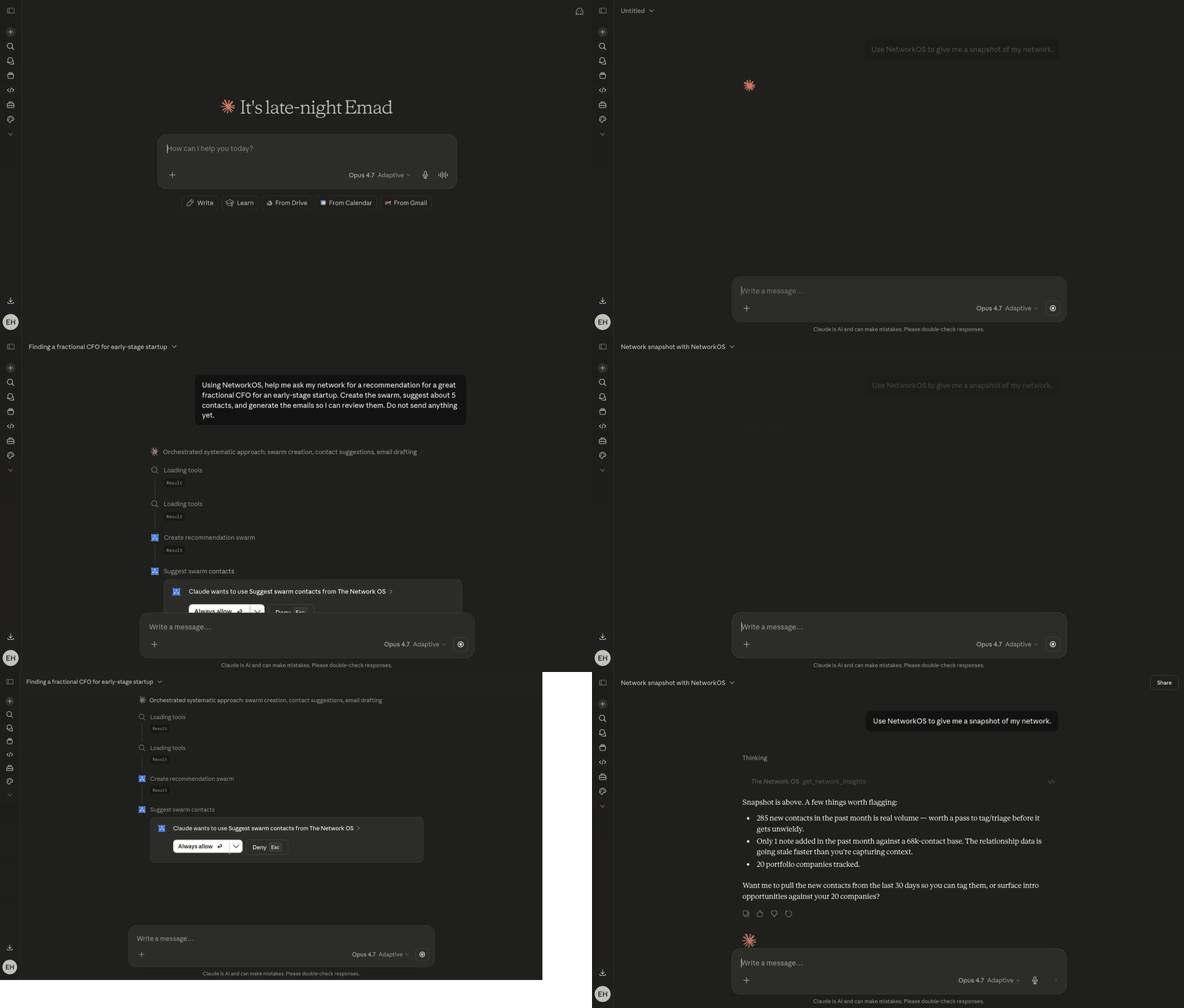
“Use NetworkOS to give me a snapshot of my network.”
NetworkOS responds
A network-insights card with the headline numbers — total contacts, companies, introductions in flight, and replies this week — so you can see the shape of your network at a glance.
Tools usedget_network_insights
You ask
“Find people in my network who worked at Stripe.”
NetworkOS responds
A contact picker you can scroll through — each match with role, company, and how you know them. Pick someone to dig in or to start an introduction.
Tools usedsearch_contactsquery_contacts
You ask
“Draft an intro between Alex and Jordan for a partnership.”
NetworkOS responds
An intro-confirm card showing both people side by side with an editable, AI-written draft. Adjust the consent model, tweak the wording, and send it from your own Gmail — all from the card.
Tools usedcreate_introduction_draftsend_introduction_email
You ask
“Show me Jordan's detail card, and add a note that we met at the summit.”
NetworkOS responds
A full contact card — role, company, relationship strength, recent touchpoints, notes, and tags — with your new note saved straight to their profile in NetworkOS.
Tools usedget_contact_detailadd_contact_noteadd_contact_tag
What you can ask for
The connector exposes read tools for finding and reviewing — searching contacts and companies, finding intro opportunities, network insights, listing notes, tags, introductions, and catch-ups — and write tools for acting: creating and updating contacts, adding notes and tags, drafting and sending introductions, starting and managing catch-up sequences, and recording outcomes. Read tools run on their own; anything that sends an email or changes your data is shown to you to confirm first.
Read tools: search_contacts, query_contacts, search_companies, list_companies, find_intro_opportunities, get_network_insights, get_contact_detail, list_contact_notes, list_tags, list_introductions, get_introduction, list_catch_ups, get_catch_up.
Write tools: create_contact, update_contact, archive_contact, add_contact_note, update_contact_note, delete_contact_note, create_tag, add_contact_tag, remove_contact_tag, create_introduction_draft, regenerate_introduction_drafts, send_introduction_email, mark_introduction_outcome, draft_catch_up, update_catch_up, regenerate_catch_up_drafts, dismiss_catch_up, cancel_catch_up, send_catch_up.
Troubleshooting
“MCP server requires authentication but no OAuth token is configured” (or “Unable to reach The Network OS”) — Claude.ai lost its OAuth token for the connector. This usually happens if the token expired and a silent refresh didn't succeed. Reconnect to fix it:
- In Claude, open Customize → Connectors (older versions: Settings → Connectors).
- Find NetworkOS in the list and click Disconnect.
- Click Add custom connector and paste
https://www.thenetworkos.com/api/mcpagain. - Authorize with the same Google account you use for NetworkOS.
- Refresh the Claude chat tab; the next prompt should work.
If the same error keeps coming back within a session, email support@thenetworkos.com with the request_id shown in the error — we'll check the OAuth refresh path on our end.
Privacy in Claude
The connector respects the same boundaries as the app: NetworkOS sends introductions from your own Gmail, and opens full message content only where a feature needs it, such as tracking replies to the intros it sent. See Privacy & your data for details, or disconnect anytime from Claude's connector settings.
Common questions
- How do I add NetworkOS to Claude?
- In Claude.ai go to Customize, then Connectors, then Add custom connector, paste https://www.thenetworkos.com/api/mcp, and authorize with the Google account you use for NetworkOS. It connects over Streamable HTTP using OAuth 2.0 with Dynamic Client Registration and PKCE.
- What can Claude do with my network?
- Read tools cover searching contacts and companies, network insights, intro opportunities, notes, tags and catch-ups. Write tools cover creating and updating contacts, notes and tags, and the whole introduction flow through to sending. Sends and edits ask for confirmation; read-only lookups run on their own.
- Claude says the connector needs authentication — how do I fix it?
- The cached OAuth token expired and silent refresh did not succeed. In Claude.ai go to Customize, Connectors, NetworkOS, Disconnect, then add the custom connector again with the same endpoint and reauthorize with the same Google account, and refresh the chat tab. Reconnecting renews Claude's permission only; it changes no NetworkOS data.
- What are the interactive cards?
- Rich UI that renders inside the chat: network insights, a contact picker, an intro confirmation, a contact detail card and a recommendation card. The contact picker has two modes — read-only results for context, and a multi-select picker when you are choosing who to introduce.