Making introductions
Draft an intro in your voice, run a double opt-in, send it from your own Gmail, and track replies and outcomes.
An introduction runs in five steps: pick two people, set the purpose (hiring, sales, fundraising, partnership or general), choose a consent model, review the AI-drafted emails, then send from your own Gmail. Four consent models are available — double opt-in, network-first, client-first and direct. NetworkOS then detects replies with sentiment, sends timed follow-ups, and records the outcome.
The introduction flow
An introduction in NetworkOS goes from picking two people to a tracked outcome without leaving the app. The draft is written for you, it sends from your own inbox, and replies are tracked automatically.
Pick the two people
Choose who should meet whom — from a search result, an intro opportunity NetworkOS surfaced, or by picking them manually.
Set the purpose
Say why they should connect: hiring, a potential customer, fundraising, a partnership, or general networking. The reason shapes the draft.
Choose the consent model
Use a double opt-in (ask both sides before connecting them) or send directly when you already know both want it.
Review the AI-drafted emails
NetworkOS writes the emails in your voice. Read them, edit anything, and regenerate if you want a different tone.
Send from your own Gmail
Approved emails go out through your Gmail, so they come from you — not a third-party address.
Track replies and outcomes
NetworkOS watches the threads it started, nudges with follow-ups when appropriate, and records the outcome so your impact is visible.
Consent models
You choose how much consent to gather before the intro goes out — pick the model that fits the relationship:
- Double opt-in — ask both people first; the intro only sends once both say yes. The safest default.
- Network-first — ask only the person in your network; once they agree, the intro goes out.
- Client-first — ask only the company/client side; once they agree, the intro goes out.
- Direct intro — skip the asks and send straight away, for when you already know both sides are keen.
A double opt-in protects both relationships: no contact information is shared until each side agrees.
What happens after someone says yes
If you received an email asking about an introduction and replied yes, you don't need to do anything else. Your reply goes to the person who asked you, and NetworkOS picks it up for them, usually within 15 minutes.
- If the other person still has to agree (a double opt-in), your yes is the first of two, and they are asked next. Once they say yes, the introduction email goes to both of you in one thread and you can take it from there.
- If yours was the only yes needed, the introduction email goes out to both of you shortly after you reply.
- If the other person passes or never answers, no introduction email is sent and your email address isn't passed on. If they never answer, the introduction expires after two weeks and nothing more is sent. If you're wondering where it landed, reply in the same thread and ask.
If you're the one making the introduction, here is what NetworkOS does with each reply:
- It checks the threads it started every 15 minutes and reads each reply as a yes, a no, or unclear. An unclear reply is emailed to you so you can decide.
- In a double opt-in, a yes from the first person sends your consent email to the second. Nothing else goes to the first person until the introduction itself.
- When the last yes comes in, the introduction email you approved sends on its own from your Gmail.
- If someone doesn't answer, NetworkOS sends one reminder after the delay you set (3 days by default). After 14 days with no answer the introduction is marked expired and nothing is sent to anyone. If the person who already said yes asks what happened, a quick personal note from you is worth sending.
Drafts in your own voice (intro templates)
If you already have an intro email you love — the one you actually send from your own inbox — paste it into Settings → Email → Your intro templates (there's a slot for your follow-up too). From then on, generated drafts follow your template's tone, structure, greeting, and sign-off instead of the default style.
The template teaches NetworkOS your voice, not your facts: the people, company, and details of each introduction are always swapped in fresh, so a pitch you wrote for one company never leaks into an intro for another. Leave the templates empty to keep the default style, and clear them anytime to switch back.
Following up and tracking outcomes
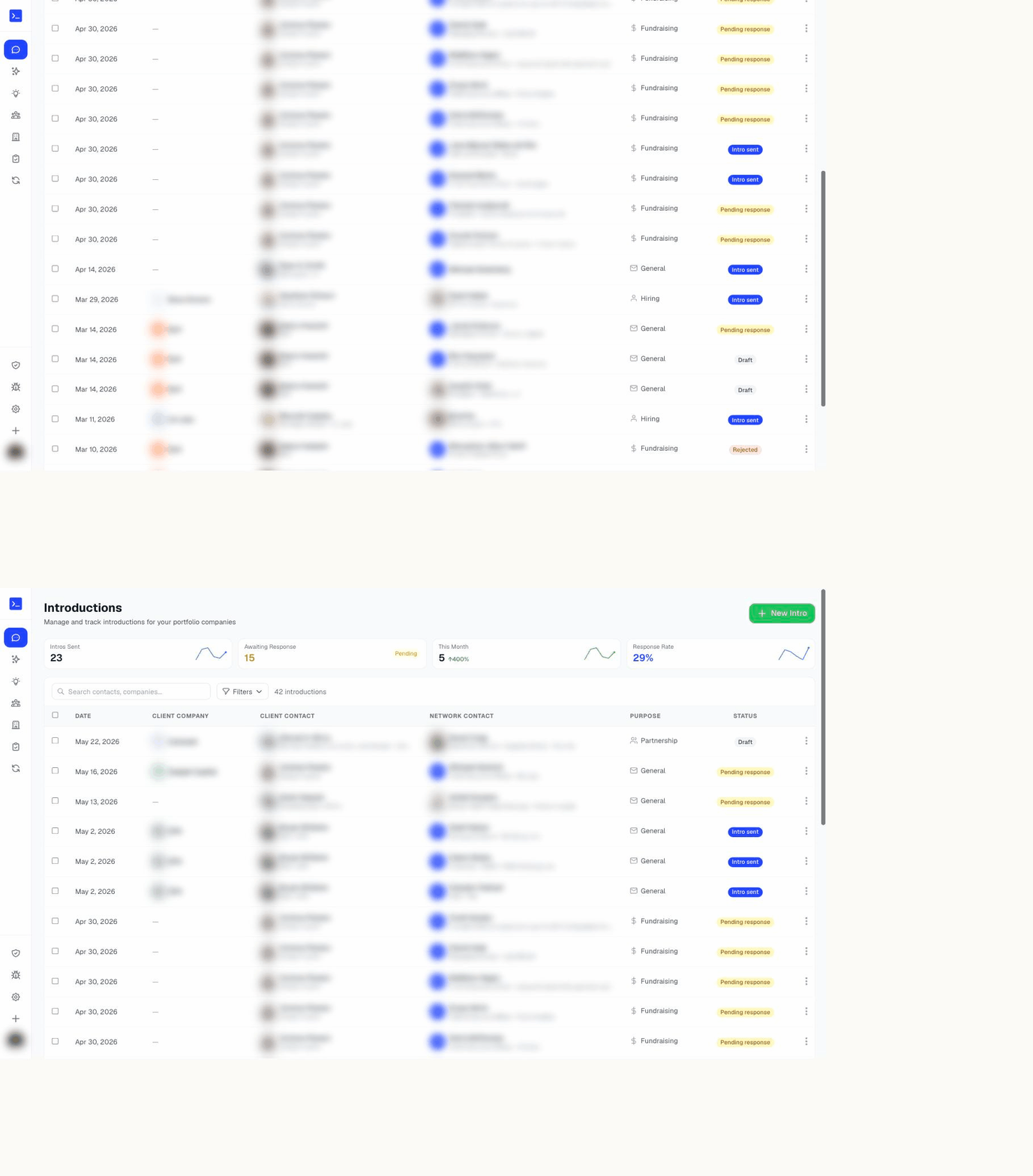
After an intro is out, the introductions dashboard shows where each one stands — awaiting consent, sent, replied, or closed. NetworkOS can send timed follow-ups so nothing stalls, and you can record the result (they met, it led to a deal, no response) to build a track record of the value your network creates.
The dashboard also reports on the whole portfolio: introductions sent, how many are awaiting a response, this month against last, your response rate, and, across introductions that have resolved, the share that completed, were declined, or went unanswered. A six-month trend sits behind each number, and the total time the drafting saved you is tallied alongside.
Starting several at once
From an AI search result you can select multiple people and kick off introductions for all of them, so a single search can turn into a batch of warm intros.
Common questions
- What is a double opt-in introduction?
- It is the consent model where NetworkOS asks both people before connecting them, so neither is put on the spot. It is one of four models: double opt-in, network-first (ask your network contact first), client-first (ask your client first), and direct intro (connect them straight away). You choose per introduction.
- Do introduction emails send from NetworkOS or from me?
- From your own Gmail, using your Google connection — not from a NetworkOS address. That is what makes the introduction land as a personal note from you. You review and can edit or regenerate every draft before anything sends.
- Does NetworkOS follow up after an introduction?
- Yes. It detects replies and classifies their sentiment, sends timed follow-ups when a thread goes quiet, and records the outcome so you can see which introductions actually landed.
- I said yes to an introduction. What happens next?
- Nothing more is needed from you. NetworkOS reads your reply for the person who asked you. If the other side still has to agree, they are asked next, and the introduction email reaches you both once they say yes. If yours was the last yes needed, the introduction goes out shortly after. If the other side passes or never answers within two weeks, no introduction is sent, nothing more arrives, and your email address is not passed on.
- Can I start several introductions at once?
- Yes. Select multiple people from search results and start a batch, which is the usual pattern when one company's need matches several people in your network.